

Table of Contents
- Assessing Your Team's Needs
- Choosing the Right Tools
- Establishing Clear Communication Protocols
- Creating a Productive Work Environment
- Encouraging Collaboration and Team Building
- Implementing Flexible Work Policies
- Providing Training and Resources
- Monitoring Progress and Adjusting Strategies
- Long-Term Maintenance Tips
Assessing Your Team’s Needs
Creating effective virtual workspaces starts with understanding your team’s specific needs. Each team has unique workflows, communication styles, and project demands. Conduct surveys or hold meetings to gather input from team members about what they require from their virtual workspace. Consider factors such as the types of projects, collaboration frequency, and preferred communication methods. This insight will inform all future decisions about tools and technologies.
- Virtual workspaces can enhance team collaboration and productivity.
- Proper tools and technologies are essential for successful virtual environments.
- Regular feedback and adjustments can lead to improved workplace dynamics.
For instance, a marketing team might need a robust project management tool to track campaigns, while a software development team may focus on code collaboration tools. Understanding these distinctions helps you tailor your workspace to fit your team’s dynamics. Not only does this promote satisfaction, but it also enhances productivity.
Regularly reassess these needs as your business evolves. Holding quarterly feedback sessions can help you stay in tune with your team’s changing requirements. This proactive approach ensures that your virtual workspace remains relevant and effective.
Choosing the Right Tools
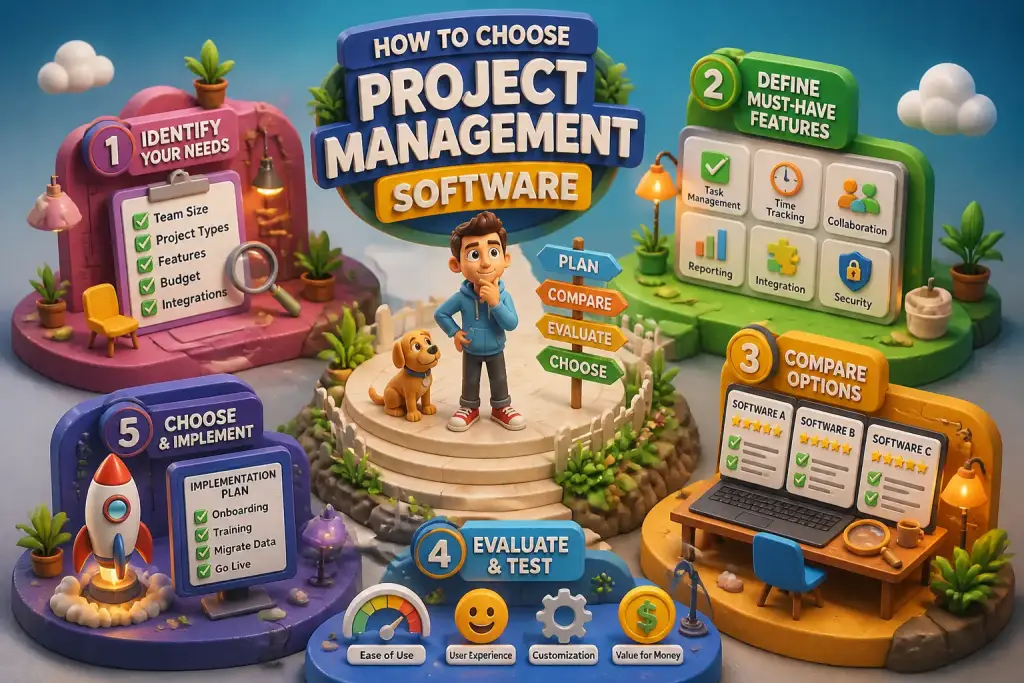
The tools you select for your virtual workspace play a significant role in how effectively your team collaborates. Start by identifying essential categories of tools: communication, project management, and file sharing. Each category serves a distinct purpose in enhancing productivity.
Communication Tools
Effective communication is vital in a virtual environment. Tools like Slack or Microsoft Teams facilitate real-time communication, allowing team members to share updates quickly. Choose platforms that integrate well with other tools your team uses.
Project Management Tools
Project management tools such as Trello, Asana, or Monday.com help organize tasks and deadlines. These tools provide visibility into project progress and deadlines, ensuring everyone stays on track. A clear overview of tasks can reduce confusion and enhance accountability.
File Sharing Solutions
File sharing is another critical aspect. Google Drive, Dropbox, or OneDrive allow team members to access files from anywhere. These platforms also enable collaborative editing, which is essential for team projects. Select tools that provide both security and ease of use.
Establishing Clear Communication Protocols
Clear communication protocols are essential in a virtual workspace. Without face-to-face interaction, misunderstandings can arise easily. Start by setting guidelines on how and when to communicate. For instance, define which channels to use for urgent messages versus general updates.
Consider establishing “core hours” when team members should be available for live communication. This practice helps accommodate different time zones while ensuring that everyone is reachable during critical periods. Encourage your team to use video calls for important discussions to make conversations more personal.
Regular team check-ins via video conferencing can also enhance relationships. Schedule weekly meetings to discuss ongoing projects and challenges. This structure builds a sense of community and keeps everyone aligned on goals.
Creating a Productive Work Environment
Having a productive virtual workspace means more than just the right tools. It also involves creating an environment where team members feel comfortable and motivated. Encourage employees to set up dedicated workspaces at home that are free from distractions. A well-organized desk can significantly impact focus and productivity.
Consider implementing “quiet hours” where team members can work uninterrupted. This practice allows individuals to concentrate deeply on their tasks without constant notifications or interruptions. Building an environment that respects personal work time is important for maintaining productivity levels.
Encourage breaks throughout the day. Short breaks can rejuvenate team members and improve focus. Promote practices like stretching or short walks to refresh their minds. Recognizing the importance of work-life balance helps prevent burnout and maintains morale.
Regularly assess your virtual workspace tools and processes to ensure they meet the evolving needs of your team and projects.
Encouraging Collaboration and Team Building
Collaboration is essential in any workspace, and virtual environments are no different. Create opportunities for team members to interact and collaborate. Consider using collaborative tools that allow real-time input on projects. This method can enhance creativity and build a sense of ownership among team members.
Organize regular team-building activities to strengthen relationships. These activities can be virtual game nights or brainstorming sessions. Such events encourage camaraderie and make the virtual workspace more enjoyable.
Even simple gestures, like celebrating team achievements, can boost morale. Recognizing individual contributions helps maintain motivation. Use a dedicated channel on your communication platform to acknowledge milestones and successes.
Implementing Flexible Work Policies
Flexibility is one of the main advantages of virtual workspaces. Implementing flexible work policies can improve employee satisfaction and productivity. Allow team members to choose their work hours based on personal preferences and productivity peaks.
Encourage employees to communicate their preferred working hours. This practice not only respects their individual needs but also allows for better collaboration. If a team member works best in the early morning, consider scheduling meetings at times that accommodate everyone’s schedules.
Provide options for remote work locations. Some employees might work best from a coffee shop or a co-working space. Allowing flexibility in work locations can lead to higher job satisfaction and better performance.
Providing Training and Resources
To maintain an effective virtual workspace, invest in training and resources for your team. Familiarize them with the tools and technologies they will use daily. Regular training sessions can help team members feel confident in using new platforms.
Consider offering online courses or workshops on communication, project management, or time management skills. These resources equip your team with the knowledge they need to thrive. Providing access to learning materials shows that you value their professional development.
Encourage peer learning as well. Set up mentorship pairs where experienced team members can guide newer colleagues. This approach promotes collaboration and builds a supportive culture within your virtual workspace.
Monitoring Progress and Adjusting Strategies
Monitoring progress is essential for any effective workspace. Regularly review team performance and project outcomes. Set clear metrics for success to evaluate how well the virtual workspace supports your team’s goals.
Use tools that provide analytics on team productivity and engagement. Gathering data can help identify areas for improvement. For example, if a project consistently falls behind schedule, it may indicate a need for better resource allocation or communication.
Encourage team members to provide feedback on the workspace setup. Create a culture where employees feel comfortable sharing their thoughts on tools and policies. Regularly adjust strategies based on feedback to ensure your virtual workspace remains effective and supportive.
Long-Term Maintenance Tips
Creating and maintaining an effective virtual workspace is an ongoing process. Regularly assess the tools and practices in place to ensure they are still meeting your team’s needs. Schedule quarterly reviews to evaluate the effectiveness of your virtual workspace.
Stay updated with industry trends and new technologies. The digital environment is always changing, and new tools may offer improved functionality or user experiences. Experiment with new tools on a trial basis before a full rollout to see if they fit your team’s needs.
Finally, prioritize well-being and mental health in your virtual workspace. Check in with team members regularly about their workload and stress levels. Promote resources for mental health support, as a healthy workforce is key to long-term productivity and satisfaction.