









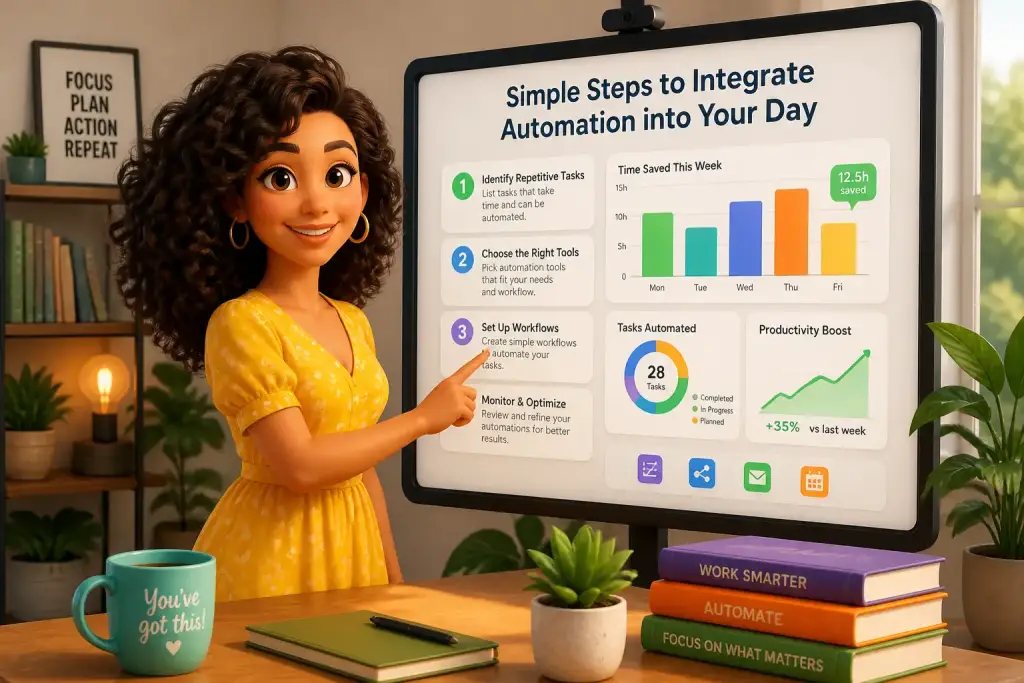
Automation has become a vital part of modern life, streamlining everyday tasks and allowing people to focus on what truly matters. By integrating automation into your day, you can improve productivity and efficiency, reduce stress, and create time for more important activities. Simple steps can lead to significant changes in how you work and manage your time. This comprehensive guide will help you understand how to easily incorporate automation into your daily routine.
- Identify repetitive tasks that can be automated.
- Use user-friendly tools for easy integration into daily workflows.
- Regularly review and adjust automated processes for better efficiency.
Identify Tasks Suitable for Automation
The first step in integrating automation into your day is to identify which tasks can benefit from it. Start by analyzing your daily activities. Look for repetitive tasks that consume a lot of time and offer little satisfaction. These tasks are prime candidates for automation. Common examples include data entry, email responses, scheduling, and social media posting.
Make a list of your daily tasks and categorize them based on frequency and duration. For instance, if you find that you spend a lot of time sending the same email responses, this is a clear indicator that automation can help. You can also consider tasks that involve multiple steps, such as reporting or project updates, which can be streamlined through automation tools. Prioritizing tasks will help you focus on the most impactful areas for automation.
Common Tasks to Automate
- Email management: Automate sorting and responses using filters and templates.
- Social media posting: Use scheduling tools to plan posts ahead of time.
- Data entry: Implement software that can automatically gather and input information.
- Task reminders: Set up automated reminders for deadlines and meetings.
Once you have identified these tasks, the next step is to research tools that can assist you in automating them. Various software and applications are available that cater to different needs and preferences. Choose tools that are easy to use and integrate well with your existing systems.
Research Automation Tools
With a clear understanding of the tasks you want to automate, the next step involves researching automation tools. Today, a wide array of software applications can simplify the automation process. Some popular tools include Zapier, IFTTT, and Microsoft Power Automate. These tools enable you to create automated workflows between different applications, enhancing productivity.
For example, Zapier allows you to connect apps like Google Sheets and Gmail. You can set up a workflow where any new entry in a spreadsheet automatically generates an email notification. This not only saves time but ensures that important information is communicated promptly. When choosing tools, consider their compatibility with your existing systems and their ability to scale with your needs.
Popular Automation Tools
- Zapier: Connects various apps and automates workflows.
- IFTTT: Creates conditional statements for app interactions.
- Microsoft Power Automate: Integrates with Microsoft products for seamless automation.
- Integromat: Offers advanced automation capabilities for complex workflows.
After selecting the right tools, familiarize yourself with their features and functionalities. Most platforms provide tutorials and support to help you get started. Taking the time to understand how these tools work will pay off in the long run, as you will be able to maximize their potential in your daily tasks.
Set Up Your Automation Workflows
Once you have chosen the appropriate tools, it’s time to set up your automation workflows. Begin by focusing on one or two tasks at a time. This approach allows you to manage the integration process without feeling overwhelmed. For instance, start with automating email responses before moving on to social media scheduling.
When setting up a workflow, clearly define the trigger and action. A trigger is the event that starts the automation, while the action is what happens as a result. For example, if you are automating email responses, the trigger might be receiving a specific type of email, and the action could be sending a pre-written response. Ensure that your workflows are straightforward and easy to follow.
Steps to Create a Workflow
- Choose a trigger event (e.g., receiving an email).
- Select the action to be taken (e.g., sending a response).
- Test the workflow to ensure it functions correctly.
- Monitor the results and adjust as necessary.
Regularly reviewing your workflows is essential. Automation is not a set-it-and-forget-it solution. Instead, it requires ongoing management to ensure everything runs smoothly. Make adjustments based on your experiences and any changes in your workload or responsibilities.
Monitor and Adjust Automated Processes
Monitoring your automated processes is a key component of successful integration. After implementing automation, track its performance to see if it meets your expectations. Keep an eye on how much time you save and how effectively the tasks are completed. If you notice inefficiencies or issues, take the time to troubleshoot and adjust your workflows accordingly.
Regularly analyze the impact of automation on your productivity. Are you spending less time on repetitive tasks? Are your response times improving? These metrics will help you understand the effectiveness of your automation efforts. If certain tasks are not yielding the desired results, consider tweaking the settings or even exploring alternative tools that may better suit your needs.
Effective Monitoring Techniques
- Use analytics features available in your automation tools.
- Gather feedback from team members or clients regarding automated interactions.
- Regularly review time spent on tasks before and after automation.
Adjustments may include refining the trigger events, changing the response templates, or even integrating additional tools for more comprehensive automation. Because the goal is to create a more efficient workflow, continuous improvement should be part of your automation strategy.
Embrace Continuous Learning and Improvement
Automation is an ongoing process that benefits from continuous learning and improvement. Stay updated on new tools and technologies that can enhance your automation efforts. The landscape of automation is constantly evolving, and new solutions can offer better efficiency and performance. Follow industry blogs, attend webinars, and engage with communities focused on automation to gain insights and tips.
Encourage feedback from those who interact with your automated systems. Understanding their experiences and suggestions can lead to valuable improvements. Regularly revisiting your automation strategy ensures that it aligns with your changing needs and objectives. This proactive approach helps you stay ahead of the curve and maximize the benefits of automation.
Ways to Stay Updated
- Subscribe to newsletters from automation tools and industry experts.
- Participate in online forums or social media groups focused on automation.
- Attend conferences and workshops that cover the latest trends in technology.
By embracing a mindset of continuous learning, you can effectively adapt your automation practices to changing circumstances. This adaptability will enhance your overall efficiency and ensure that automation remains a valuable part of your daily routine.
Focus on one area at a time to integrate automation, allowing for smoother transitions and better overall results.
Making Automation Work for You
Integrating automation into your daily life is not just about using tools; it’s about making thoughtful changes that enhance your quality of work and life. By starting with small, manageable steps, you can gradually build a more efficient workflow that reduces stress and frees up time for other important activities. Automation should feel like a helpful assistant rather than an overwhelming task.
As you become more comfortable with automation, consider expanding your efforts into other areas of your life, such as personal finance or home management. The principles of automation remain the same, regardless of the context. Look for repetitive tasks, identify suitable tools, and create workflows that simplify your everyday responsibilities.
The goal of integrating automation into your day is to regain control over your time and increase your productivity. By focusing on the steps outlined in this guide, you will be well on your way to a more organized and efficient daily routine. Take the time to reflect on your progress and make adjustments as needed to ensure that automation continues to serve your evolving needs.

Federica Ferrari
Founder & Lead EditorFederica Ferrari is the founder and lead editor of Business Braintech, based in Italy. She provides readers with practical guidance on emerging technologies for business transformation.