







Table of Contents
- Choosing the Right Collaborative Learning Tools
- Communication Platforms for Team Collaboration
- Project Management Tools to Stay Organized
- Visual Tools to Enhance Learning
- Assessment and Feedback Tools for Improvement
- Leveraging Social Media for Collaborative Learning
- Key Steps to Sustain Building a Collaborative Culture
Choosing the Right Collaborative Learning Tools
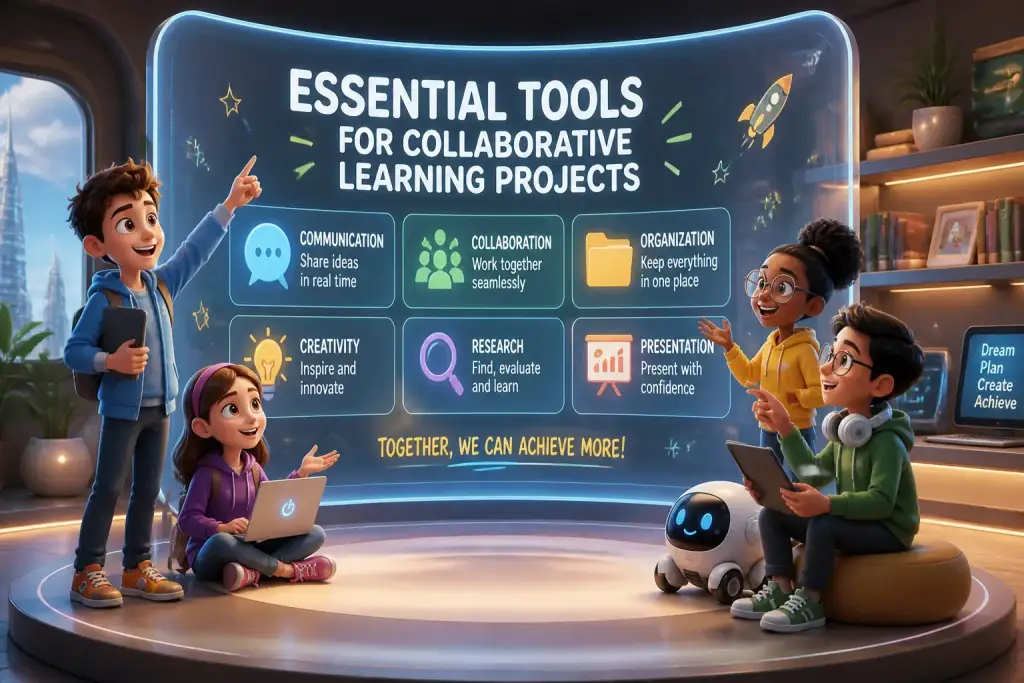
Effective collaborative learning tools can make a significant difference in how groups work together on projects. These tools help facilitate communication, organization, and creativity. Teams can choose from various options, including digital platforms, physical tools, and innovative resources. Selecting the right tools depends on the project goals, team dynamics, and the specific needs of the group.
- Collaborative tools increase engagement and interaction among students.
- Effective communication platforms improve group project outcomes.
- Visual aids enhance understanding and retention of complex concepts.
Modern collaboration tools allow participants to contribute from different locations, making remote teamwork more manageable. For example, tools like Google Workspace and Microsoft 365 offer shared documents where team members can edit and comment in real time. This capability ensures everyone stays on the same page, promoting transparency and accountability.
To digital tools, physical resources like whiteboards and sticky notes can enhance collaboration. These traditional tools can stimulate creativity and brainstorming during in-person meetings. The combination of digital and physical tools often leads to the best results.
Key Factors to Consider
- Team Size: Select tools that accommodate your group size and ensure everyone can participate effectively.
- Project Complexity: Choose tools that match the complexity of the project. More complex projects may require advanced tools for better organization.
- User Friendliness: Ensure all team members can easily navigate the tool to avoid frustration and wasted time.
Communication Platforms for Team Collaboration
Communication is vital in collaborative projects. Using the right platforms can enhance interaction and streamline discussions. Many tools allow teams to communicate in real time or asynchronously, making it easier to share ideas and feedback. Popular options include Slack, Microsoft Teams, and Discord.
For example, Slack offers channels for different topics, allowing members to share information without overwhelming the main conversation. Members can also use direct messaging for private discussions. This feature keeps communication organized and efficient.
Microsoft Teams integrates file-sharing capabilities, video conferencing, and chat functions. This all-in-one platform allows teams to conduct meetings, share documents, and chat simultaneously, which is particularly useful for remote teams. Regular check-ins using these platforms help maintain momentum and ensure everyone is on track.
Using Video Conferencing Effectively
- Set Clear Agendas: Before a meeting, share an agenda with topics to address. This keeps discussions focused and productive.
- Encourage Participation: Invite all members to share their thoughts during meetings to foster inclusivity.
- Record Sessions: If possible, record meetings for those who cannot attend. This ensures everyone has access to important information.
Project Management Tools to Stay Organized
Staying organized is essential for the success of any collaborative learning project. Project management tools help teams track tasks, deadlines, and overall progress. Tools like Trello, Asana, and ClickUp offer features that enable teams to assign tasks, set deadlines, and monitor progress easily.
Trello uses a visual board system, allowing teams to create lists and cards for tasks. Members can move cards through different stages, providing a clear overview of project progress. This visual approach helps teams understand their workflow and identify bottlenecks quickly.
Asana offers a more structured approach with task lists, calendars, and timelines. It provides a comprehensive view of all tasks and deadlines, making it easier to manage complex projects. Regular updates and reminders help keep team members accountable and focused.
Setting Up Your Project Management Tool
- Create a Project Board: Start by setting up a board or project space tailored to your team’s needs.
- Define Tasks: Break down the project into smaller tasks, assigning responsibilities to each team member.
- Monitor Progress: Regularly check in on the status of tasks and make adjustments as needed to stay on schedule.
Visual Tools to Enhance Learning
Visual tools play a crucial role in collaborative learning by simplifying complex ideas and promoting understanding. Mind mapping tools, infographic creators, and presentation software can help teams organize their thoughts visually. Tools like Canva and MindMeister allow users to create engaging visuals that facilitate brainstorming and idea sharing.
For instance, using mind maps can help teams visualize their ideas and see connections between different concepts. This method encourages creativity and helps participants contribute more effectively. Infographics can summarize research findings or present data in an appealing format, making it easier for audiences to grasp key points.
Presentation software such as Google Slides or Microsoft PowerPoint allows teams to create professional-looking presentations collaboratively. Team members can work on slides simultaneously, adding their inputs and making revisions in real time. This collaboration results in a polished final product that reflects the contributions of all team members.
Steps to Create Effective Visuals
- Define Your Goals: Determine the main message you want to convey with your visual.
- Use Simple Design: Keep the design clean and avoid clutter. Ensure the visuals support your message.
- Incorporate Feedback: Share drafts with team members and incorporate their feedback to improve the visuals.
Assessment and Feedback Tools for Improvement
Continuous assessment and feedback are vital in collaborative learning projects. Tools that facilitate peer reviews and feedback sessions help teams assess their progress and identify areas for improvement. Platforms like Google Forms, SurveyMonkey, and Kahoot can enable teams to gather feedback effectively.
Using Google Forms, teams can create surveys to evaluate their performance or gather opinions on specific aspects of the project. This feedback can provide valuable insights into team dynamics and project execution. Regular feedback sessions, whether through surveys or discussions, encourage open communication and build a culture of improvement.
Kahoot offers a fun way to assess knowledge and engagement through quizzes. Teams can create quizzes related to their project, making learning enjoyable while evaluating understanding. This gamified approach can motivate team members to participate and engage more actively.
Creating Effective Feedback Mechanisms
- Establish Clear Criteria: Define what aspects of the project require feedback and how it will be measured.
- Encourage Honesty: Create an environment where team members feel safe to provide constructive criticism.
- Act on Feedback: Use the feedback received to make necessary adjustments and improve future collaboration.
Encourage open communication and regular feedback among team members to strengthen collaboration and project outcomes.
Leveraging Social Media for Collaborative Learning
Social media can be a powerful tool for collaborative learning. Platforms like Facebook, Twitter, and LinkedIn allow teams to share ideas, resources, and updates easily. These platforms enable ongoing discussions and networking opportunities, enhancing collaboration beyond formal meetings.
Creating a private group on Facebook or LinkedIn can provide a space for team members to share resources, ask questions, and discuss project-related topics. This informal setting encourages participation and keeps everyone engaged. Additionally, using Twitter to follow relevant hashtags can help teams stay updated on trends and discussions related to their projects.
However, it is crucial to establish guidelines for using social media to ensure that discussions remain focused and respectful. Setting clear expectations about participation and communication can help maintain a productive atmosphere.
Best Practices for Social Media Collaboration
- Define Purpose: Clearly outline the purpose of the social media group to keep discussions relevant.
- Encourage Engagement: Invite members to share their thoughts and resources actively.
- Monitor Discussions: Regularly check in to ensure discussions remain productive and respectful.
Key Steps to Sustain Building a Collaborative Culture
Embracing collaborative learning tools can significantly enhance group projects. By choosing the right platforms and fostering a collaborative culture, teams can work more effectively and creatively. Continuous communication, organization, and feedback are essential elements in building a successful collaborative environment.
As teamwork becomes increasingly important in educational and professional settings, investing in the right tools can make all the difference. Encourage team members to explore various resources and find what works best for their unique needs. The result will be a more engaged, motivated, and productive team.
The key to successful collaborative learning is not just the tools used but the mindset of the team members involved. By prioritizing collaboration and open communication, teams can achieve greater success in their projects and learning journeys.